Customize a field's label in the client User Interface.
Description
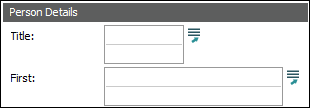
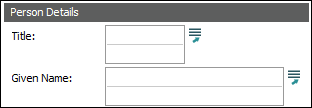
With the Label Registry entry it is possible to replace a default EMu field label with a label of your own. In this example, the default field label of First: (for the NamFirst column) in the Parties module:
is replaced with Given Name:
Note the following:
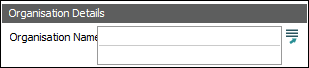
- The space allocated to a label on screen is not dynamic and it will not adjust to fit the label you provide. If your label is too long for the space allocated, it will be cropped, e.g.:
-
When used with LinkGrids (nested tables) the Label Registry entry only applies if the table has a single column. For multiple column LinkGrids and ListGrids, use the Title Registry entry to change column labels.
Usage
This Registry entry can be assigned to users and groups:
| Key | User | User | Group | Group | Group | Group |
|---|---|---|---|---|---|---|
| Key 1 | User
|
User
|
Group
|
Group
|
Group
|
Group
|
| Key 2 | user | user | group | group | Default
|
Default
|
| Key 3 | Table
|
Table
|
Table
|
Table
|
Table
|
Table
|
| Key 4 | Default
|
table | Default
|
table | Default
|
table |
| Key 5 | Label
|
|||||
| Key 6 | column | |||||
| Value | prompt | |||||
 In pipe-delimited format:
User
|
user | Table
|
table | Label
|
column | prompt |
User
|
user | Table
|
Default
|
Label
|
column | prompt |
Group
|
group | Table
|
table | Label
|
column | prompt |
Group
|
group | Table
|
Default
|
Label
|
column | prompt |
Group
|
Default
|
Table
|
table | Label
|
column | prompt |
Group
|
Default
|
Table
|
Default
|
Label
|
column | prompt |
where:
|
column |
|
|
prompt |
is your custom label. |
Examples
This entry replaces the default field label of First: with Given Name: for the NamFirst column in the Parties module:
| Key | Setting |
|---|---|
| Key 1 | Group
|
| Key 2 | Default
|
| Key 3 | Table
|
| Key 4 | eparties
|
| Key 5 | Label
|
| Key 6 | NamFirst
|
| Value | Given Name: |